




-1.png?width=400&name=CMS%20(23)-1.png)

.png?width=100&name=layers%20(7).png)
One source of truth

Built for complexity
.png?width=100&name=workflow%20(6).png)
Structured for control and flow
What is digital asset management
Digital asset management (DAM) is software used to store, organize, govern, and distribute digital files from one centralized platform.
DAM helps organizations manage content across teams, systems, markets, and channels while making assets easier to find, control, reuse, and distribute.
Digital asset management is both a process and a technology.
As a process, DAM defines how content is created, approved, managed, reused, and distributed throughout the organization.
As a technology, DAM is the platform where all of that happens.
A DAM platform typically includes:
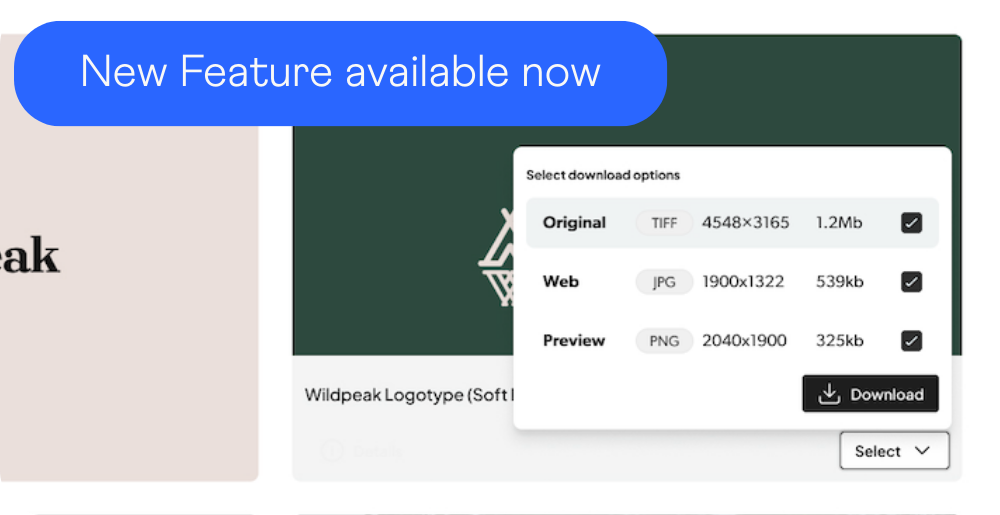
- Centralized asset storage
- Metadata and taxonomy management
- Permissions and governance
- Version control
- Search and filtering
- Workflow support
- Distribution and publishing
- Integrations with surrounding systems
The difference matters.
Cloud storage stores files.
A DAM makes those files structured, searchable, approved, reusable, and operationally usable at scale.
That’s what separates content control from content chaos.
Why digital asset management matters
DAM helps organizations reduce content chaos while improving governance, speed, consistency, and reuse.
Without DAM, organizations often struggle with duplicate assets, outdated versions, inconsistent branding, disconnected systems, manual distribution, poor findability, unclear ownership, and fragmented workflows.
The bigger the organization becomes, the more visible these problems get.
Many organizations do not realize they need a DAM because of storage problems.
They realize it because operations become harder.
Teams cannot find approved files quickly. Agencies work from outdated material. Product content becomes disconnected across systems. Valuable assets are recreated instead of reused.
DAM exists to solve exactly these challenges.
It creates structure around content operations so teams can move faster without losing control.
What types of digital assets can a DAM manage?
A DAM manages any digital file with business value that needs to be organized, reused, governed, or distributed.
Most DAM systems support a wide range of asset types.
Images
Product photography, campaign imagery, logos, graphics, illustrations, icons, and marketing assets.
Video
Brand films, product demos, social content, training material, campaign assets, and broadcast media.
Documents
Presentations, brochures, technical documentation, reports, PDFs, and sales material.
Creative source files
Photoshop, Illustrator, InDesign, and other editable master files.
Audio
Voiceovers, branded audio, podcasts, and sound assets.
Templates
Reusable templates for presentations, print, social media, and marketing production.
Different industries depend on DAM differently.
Retailers often manage enormous volumes of product imagery across thousands of SKUs. Manufacturers combine technical documentation with product assets. Global organizations need governance across brands, markets, and external partners.
The challenge is rarely file storage alone.
The challenge is managing complexity without slowing teams down.
How does a DAM system work?
A DAM platform manages assets through structured workflows for upload, metadata, governance, search, and distribution.
Most DAM workflows follow the same core stages; Create → Control → Activate → Analyze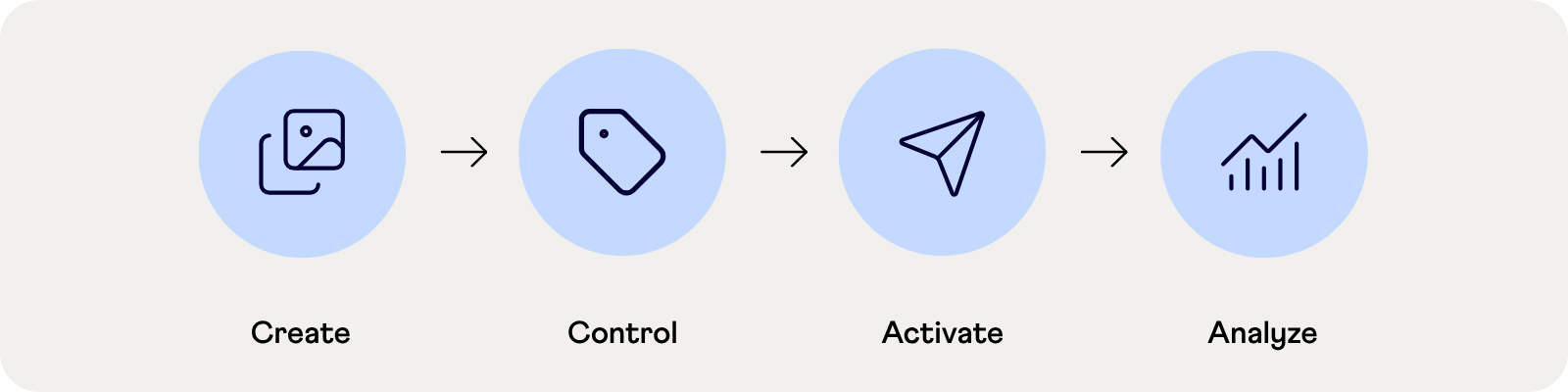
Create
Assets enter the DAM manually, in bulk, or automatically through integrations with creative tools, CMS platforms, PIM systems, production systems, or connected workflows.
Metadata, categories, and taxonomy structures help organize assets immediately from upload.
Control
Permissions, governance rules, approvals, version history, and rights management help organizations control how assets are used across teams and markets.
This reduces outdated files, duplicate versions, and inconsistent brand usage.
Activate
Approved assets are distributed into websites, e-commerce platforms, partner portals, campaigns, sales systems, and external channels.
A DAM should not become another content silo.
It should actively power content operations across the business.
Analyze
Analytics and reporting help organizations understand how assets are used, reused, downloaded, and performing over time.
This helps teams identify gaps, improve workflows, and increase the value of existing content investments.
Explore the QBank Platform
What are the benefits of digital asset management?
DAM improves content findability, governance, brand consistency, and operational efficiency while reducing duplicated work and manual file handling.
Faster access to content
Teams can find approved assets instantly instead of searching through folders, inboxes, or disconnected systems.
Stronger brand consistency
Everyone works from the same approved versions across markets, departments, agencies, and partners.
Better return on content investments
Assets that are easy to find get reused instead of recreated.
That reduces duplicated production work and unnecessary agency costs.
Governance and compliance
Permissions, approvals, expiration controls, and rights management help organizations stay compliant and reduce operational risk.
Connected workflows
DAM connects creative production, marketing, e-commerce, CMS, PIM, sales, and distribution systems into a more efficient ecosystem.
Improved scalability
As content volume grows, DAM helps organizations maintain structure without adding operational complexity.
Who uses DAM?
DAM is used by any team that relies on approved digital content, not just marketing.
Marketing teams
Manage campaigns, global brand consistency, and content distribution across channels and markets.
Creative teams
Control source files, approvals, versions, and production workflows.
Sales teams
Access updated presentations, brochures, and product assets without waiting for manual support.
Product and technical teams
Manage product imagery, specifications, manuals, and technical documentation.
Legal and compliance teams
Track rights, approvals, expiration dates, and governance requirements.
Agencies, distributors, and partners
Access approved content through controlled branded portals instead of fragmented file sharing.
DAM becomes more valuable every time content needs to move across teams, systems, or markets.
Different industries also rely on DAM differently.
Retail organizations manage large product content ecosystems. Manufacturers combine technical documentation with product assets. Healthcare and regulated industries prioritize governance and compliance. Global brands need scalable distribution across markets and partners.
Explore how different industries use DAM to support content operations at scale.
Explore QBank DAM for Enterprise Organizations
DAM vs other content systems
DAM governs digital assets. Other platforms focus on publishing, storage, product data, or content creation.
DAM vs CMS
A CMS publishes web content.
A DAM manages and governs the assets the CMS uses.
DAM vs cloud storage
Platforms like Google Drive or Dropbox store files but lack advanced metadata, governance, rights management, version control, and large-scale distribution capabilities.
DAM vs PIM
PIM manages product information and specifications.
DAM manages the associated media assets.
DAM vs creative tools
Creative tools create content.
DAM governs, structures, distributes, and scales it operationally.
DAM vs MRM
Marketing resource management tools handle planning and budgeting.
DAM handles the actual content assets themselves.
A DAM often becomes the central content layer connecting the wider ecosystem.
What to look for in a DAM platform
The best DAM platforms combine governance, flexibility, integrations, scalability, and usability without forcing organizations into rigid workflows.
Not every DAM is built for the same level of operational complexity.
Look for a platform that adapts to your organization, not the other way around.
Flexible metadata and taxonomy
Your content structure should reflect how your organization actually works.
Governance and permissions
Control access across teams, markets, brands, and external stakeholders.
Search that actually works
Search speed and accuracy become critical as asset libraries scale.
Integrations and APIs
A DAM should connect cleanly with CMS, PIM, e-commerce, creative tools, and internal systems.
Distribution capabilities
Your DAM should actively distribute assets, not simply archive them.
Scalability
The platform should support growing content operations without becoming harder to manage.
Ease of adoption
A DAM only creates value if teams actually use it.
How AI is changing DAM
AI is improving metadata creation, search, governance, and content accessibility, while increasing the importance of structured content.
AI is changing expectations around digital asset management fast.
But AI does not replace DAM.
It increases the value of DAM.
AI-assisted tagging
Metadata creation becomes faster through automatic recognition of objects, scenes, logos, text, and visual content.
Smarter search
Natural-language search and visual search help users find content without relying on exact filenames or manual tagging alone.
Better governance
Organizations are paying closer attention to provenance, authenticity, rights management, and content control as AI-generated assets increase.
Metadata becomes strategic
The quality of metadata increasingly determines whether assets can actually be reused across AI-powered workflows and systems.
Structured content wins.
That is becoming increasingly clear.
Why organizations choose QBank
Many DAM platforms force organizations into predefined structures and rigid workflows.
QBank is built differently.
We help organizations create structure around how their business actually operates, across teams, brands, systems, and markets.
That means:
- Flexible metadata and taxonomy
- Scalable governance
- Tailored integrations
- Branded portals
- Operational adaptability
- Enterprise capability without enterprise complexity
- Close collaboration instead of one-size-fits-all delivery
Because managing digital assets is rarely just a marketing challenge.
It’s an operational one.
Learn more about how QBank helps organizations scale digital asset management across the business.
Related resources
Want to go a little deeper?
Explore selected guides, articles, and resources on DAM, metadata, governance, integrations, and content operations.

DAM buying guide
A practical guide for evaluating DAM platforms, requirements, integrations, and long-term scalability.
DAM beyond storage
Why modern DAM is becoming operational infrastructure for content across teams, systems, and markets.

AI, metadata, and governance
Why structured metadata and governance matter even more in AI-driven content operations.

Connected content workflows
How integrations between DAM, CMS, PIM, and other systems create scalable content operations.