Skip to content

Enterprise DAM

Enterprise Digital Asset Management. The content infrastructure behind great brands. Connect approved assets, metadata and workflows across teams and systems, with governance built in.

Extensions 

Add automation, templates, portals and custom functionality as your needs evolve

Integrations

Connect QBank to your CMS, PIM, commerce and more.

QBank-menu-news
Branded Portals

Give partner and teams easy access to approved, on-brand content. 

Enterprise organizations

One governed source for every team, brand and market.

QBank-manufacturing-menu-rounded-1
Manufacturing 

Connect product imagery, technical documents and partner content across global markets.

QBank-medtech-menu-rounded-600
Medtech

Keep regulated content approved, traceable and accessible to the right teams.

QBank-retail-menu-rounded-1
Retail

Get approved product and campaign content to every market and channel you sell in.

Built for real content workflows


Use case - Manage product content across markets
Product content across markets

Consistent product content in every market, global or local.

Use case - Ensure compliant asset versioning
Compliant asset versioning

Keep versions, approvals and usage rights clear and traceable.

Use case - Distribute approved content across systems and channels
Distribute content across channels

Get approved content to the platforms and channels that need it.

Use case - Reduce duplicate assets and improve content reuse
Reduce duplicate assets and reuse content

Make existing assets easier to find, share and reuse.

Use case - Automate content production
Automate content production

Automate repetitive tasks while keeping control over your content workflows.

Branded DAM portals for secure, scalable asset distribution

Distribute approved assets across markets, partners and brands

QBank Branded Portals are branded websites that give partners, distributors, dealers, retailers, press and internal teams self-service access to approved assets from QBank DAM. Each portal follows your QBank metadata and permissions, so every audience sees only the content approved for them. Update an asset once in QBank, and every portal shows the new version.

QBank-rounded-web-square-team

What is a branded portal?

Enterprise organizations manage multiple brands, product lines and partner networks. QBank branded portals provide a structured way to distribute assets while maintaining control over branding, permissions and asset governance.

A branded portal is the secure external layer of your digital asset management system (DAM). It distributes approved assets to selected audiences while your core system stays protected. Unlike file-sharing tools, it maintains version control, updates assets automatically, tracks downloads and controls access by role, region or partner. 

QBank-Rounded-what-is-branded-portal
Bento pics (5)

Who uses branded portals?

Portals give controlled external access to your DAM for distributors, retailers, press and internal teams without exposing your core system. 

Bento pics (4)

How is a branded portal different from file sharing?

Portals reflect approved assets directly from your digital asset management system (DAM). When assets are updated centrally, connected portals update automatically. Ensures consistent messaging across markets and eliminates outdated files.

Your QBank metadata sets the rules

Everything you configure in QBank carries over into the portal. Structure, tags, and logic are reflected automatically.

Access rights and permissions follow

The right people see the right content, without extra setup. The same level of control and security, even beyond your core team.

Your QBank DAM is the foundation

The same stability. The same functionality. Extended to your portals.

Can one portal serve several markets and languages?

Create controlled access points for distributors, press, retailers and internal teams tailored by role, region or brand.

With QBank Portals, you can:

  • Curate exactly which assets each audience sees, nothing more, nothing less
  • Shape the layout and structure to reflect your brand experience
  • Control access with or without login
  • Distribute approved content only
  • Keep every touchpoint consistent across markets and teams
  • No outdated files in circulation. No off-brand downloads. Just structured and on brand.
QBank-Rounded-Branded-Portals

Explore a live example of a QBank Portal interface

Explore how approved assets are structured and presented to external audiences. This interactive demo focuses on the branded portal interface. For configuration and infrastructure details, we recommend a live demo session with our team.

FAQ - Common questions about QBank Branded Portals

Can one portal work across multiple teams and markets? Yes because access and content are controlled by metadata and permissions.

The same underlying asset library can serve multiple teams and markets. Different users see different assets, languages and content based on their role, brand or region.

And when one shared view isn’t enough, you can create audience-specific portals from the same governed foundation without duplicating assets.
We already have a DAM, why do we need QBank? Branded Portals are not another DAM. They activate your existing assets.

They run on QBank DAM as the system of record, so everything shared stays connected to:

  • Metadata
  • Permissions
  • Approved versions
  • Governance

The difference is controlled distribution for sales, service documentation, product content, training, partners, brand and marketing as well as regulated material.

In manufacturing and medtech, that control reduces operational and regulatory risk.

If you already use another DAM, you can start with a portal use case and migrate in phases when you need stronger governance and scalable distribution.
Can't we just use CMS/SharePoint? Content Management Systems (CMS) and SharePoint manage pages and files. QBank Digital Asset Management governs asset lifecycle and distribution.

A CMS publishes content to websites. SharePoint supports collaboration. Neither is designed to act as a system of record for governed, multi-channel asset distribution.

With QBank + Branded Portals, you get:

  • Single source of truth for approved versions
  • Lifecycle control (approval states, expiry dates, replacement logic)
  • Metadata-driven audience targeting
  • Full audit trail for compliance
  • No duplicate uploads. No version drift between systems. In manufacturing and medtech, the risk is not storing files. The risk is distributing the wrong version.

CMS and SharePoint are collaboration tools. QBank is infrastructure for governed distribution.

How is QBank portals different from other portal solutions?

Brand-kit tools typically focus on marketing guidelines. QBank is built for enterprise-wide distribution and governance.

QBank + Branded Portals supports not just brand files, but also product documentation, service content, training material, regulatory documents and sales enablement.

Everything is governed by structured metadata and role-based permissions.

You can also run multiple audience-specific portals from one setup for partners, sales regions, service teams or retail marketing.

How fast can we go live? Fast, when you build on an existing DAM foundation.

In QBank, you define structure first: metadata, permissions and approved content.

Branded Portals then become the distribution layer. No duplicate uploads. No manual syncing. No version confusion.

Most organizations we work with launch with one audience and one high-value use case, such as:

  • Partner or distributor documentation
  • Service and aftermarket content
  • Sales enablement hubs
  • Brand guidelines 

They prove adoption. Then expand across brands, markets and teams.

Start small. Go live quickly. Scale with control.
Can we customize the portals? Yes you shape the experience to fit your brand and your audience.

Every touchpoint matters. Your partners, retailers, sales teams or service organizations should feel like they’re entering a space built for them.

With QBank, you can design the portal layout, highlight what matters and guide users where you want them to go all while staying fully on brand.

And because it’s built on your DAM foundation, governance, permissions and metadata stay intact.

You create the experience. We protect the structure.
Do portal users need a QBank login? No. You control access with or without login, and you decide exactly what each audience can see.
Can dealers in different markets see different content? Yes. Access and content are controlled by metadata and permissions, so different users see different assets, languages and content based on their role, brand or region.
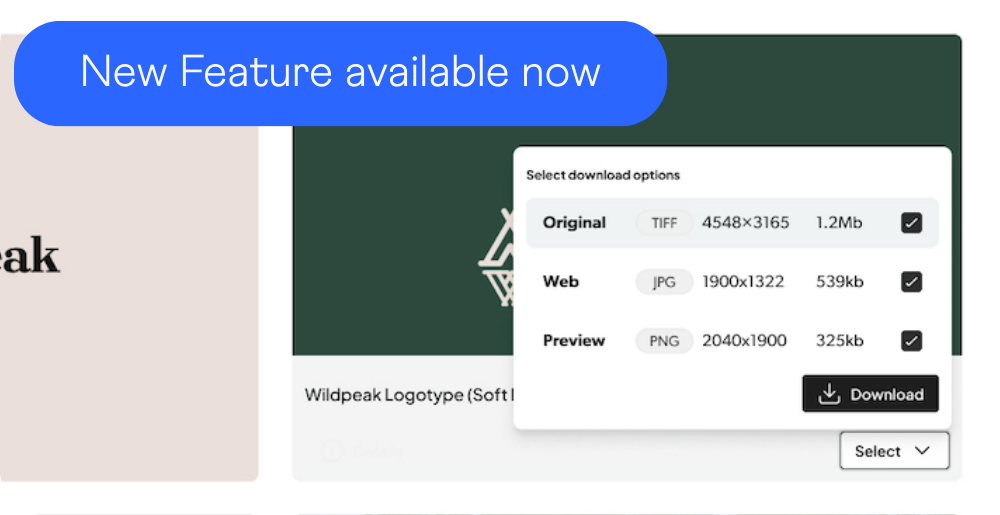
How long has QBank built portals? QBank has built Digital Asset Management for 20+ years, and Branded Portals run on that same QBank DAM foundation. Today's Branded Portals offer filters built on your metadata, free-text search, ready-made download formats and sizes, and dynamic links.

Book a portal demo

Branded Portals give large organizations a controlled way to share approved assets with markets, partners, teams and brands. Let's show you how it works.