







-1.png?width=400&name=CMS%20(23)-1.png)

Brand Portal
A dedicated home for your brand powered by QBank DAM.
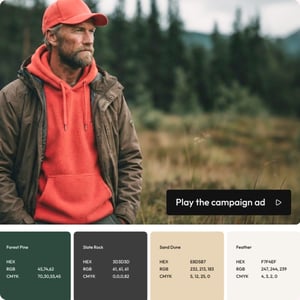
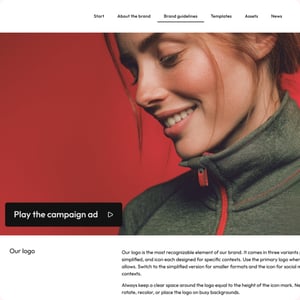
Give internal teams, agencies and partners one trusted place to access the latest brand guidelines, assets and campaigns.
Everything connects directly to QBank. That means every file, update and asset automatically follows your governance, permissions and metadata rules.
What this enables
- One version of your brand
Always current. Always approved. No parallel guideline decks. - Instant updates
Update once in QBank. Your Brand Portal reflects it immediately. - Localized brand kits
Share tailored assets for regions, product lines or campaigns, without duplication. - On-brand experience
The portal reflects your visual identity in layout, color and tone.

Media portal
Direct access to approved assets
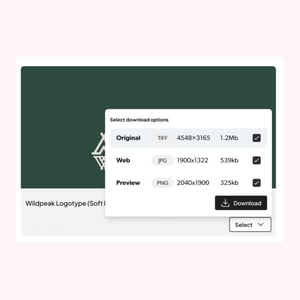
A Media Portal extends your DAM to the world, a trusted gateway to your brand visuals and materials, fully powered by your QBank setup.
Access can be public, invite-only or role-based. Authentication can be handled through secure links or SSO. Permissions ensure users only see what they are allowed to download. Analytics provide visibility into views and downloads.
Partner Portal
Give partners exactly what they need
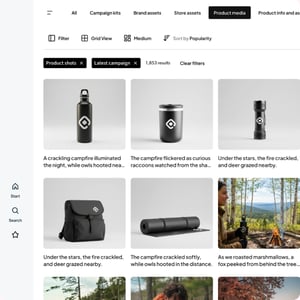
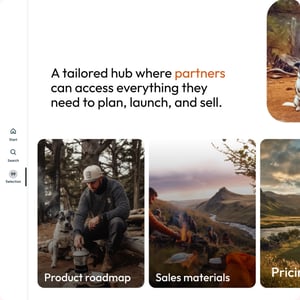
A Partner Portal is your central hub for collaboration and enablement. It gives distributors, agencies, or implementation partners instant access to approved product images, marketing assets, technical documentation, and campaign kits without endless email threads.
Key benefits:
- Tailored access for each partner type: Give marketing partners, distributors, or agencies different levels of access.
- Dynamic content updates: Publish new assets and campaign kits instantly, with version control from QBank.
- Faster go-to-market: Reduce manual asset requests and let partners self-serve what they need.
- Performance insight: See what content is used most to understand partner engagement.
Press portal
Everything media needs to tell your story right
From high-res images and brand logos to press kits, product shots, executive bios, and brand guidelines, everything is organized, accessible, and always up to date. Content syncs automatically through your QBank DAM, so media never downloads outdated logos or uses the wrong product imagery.
Key benefits:
- Deadline-ready assets: High-res images, logos, and press materials, approved and instantly downloadable.
- Always accurate: Updates flow automatically from QBank, so journalists always work with current brand assets.
- Search and filter with ease: Let media find exactly what they need by product, campaign, executive, or date.
- Usage control and tracking: Set permissions, expiry dates, and monitor what's being downloaded and by whom.
Press Portals give media professionals the content they need to cover your brand properly — accurate, approved, and instantly available, powered by QBank DAM.
.jpg?width=300&name=QBank-Rounded-press-portal%20(1).jpg)
Document portal
Put the right document in the right hands, every time
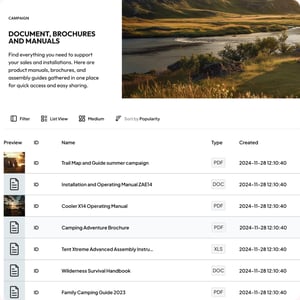
Give service teams, technicians, and partners instant, structured access to the latest technical documents, certificates, and manuals, filtered by product, region, or version.
No more outdated PDFs or digging through drives. With version tracking, granular permissions, and metadata filtering, Document & Service Hubs make your documentation accurate, compliant, and effortlessly accessible.
Reseller portal
Empower resellers with the right content to sell your products
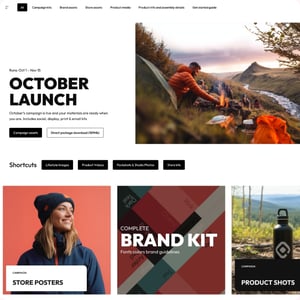
A Reseller Portal puts everything your resellers need in one place.
Product images. Data sheets. Sales decks. Campaign assets. Certificates.
No chasing files. No outdated versions.
Connected to your DAM, content updates automatically. So your partners always work with the right material.
Trusted by teams across industries
.png?width=300&name=CMS%20(3).png)
.png?width=300&name=CMS%20(4).png)
.png?width=300&name=CMS%20(5).png)
.png?width=300&name=CMS%20(6).png)