Skip to content

Enterprise DAM

Manage all your digital assets in one platform built for complex organizations. Control metadata, rights, workflows and distribution across teams, markets and channels.

Extensions of QBank DAM

Extend QBank to match how your organization works. Add automation, templates, portals and custom functionality when you need it.

Connectors & integrations

Connect QBank to the tools your teams already use. From creative tools and CMS platforms to marketing and product systems.

QBank-menu-news
Share assets beyond your organization

Create branded portals where partners, distributors and teams can easily find and download the right assets.

No outdated files. No endless email threads.

QBank DAM for enterprise organizations

Built for complex organizations that need more than asset storage. QBank helps teams across departments, markets, and industries manage, control, and activate digital assets from one governed source.

QBank-manufacturing-menu-rounded-1
Made for manufacturing complexity

Support product communication, technical documentation, and partner access across global teams, product lines, and systems.

QBank-medtech-menu-rounded-600
Built for medtech compliance

Keep digital assets controlled, traceable, and accessible across regulated workflows, teams, and external audiences.

QBank-retail-menu-rounded-1
Designed for retail speed

Help teams manage and distribute approved campaign, product, and brand content across channels, markets, and seasons.

Built for real content workflows

Explore how QBank supports the workflows that matter most across teams, markets, and systems.

Use case - Manage product content across markets
Manage product content across markets

Give global and local teams one structured way to manage approved product content, adapt it for market needs, and keep it consistent across channels.

Use case - Ensure compliant asset versioning
Ensure compliant asset versioning

Keep approved assets under control with clear version history, structured approvals, and traceability across regulated teams and systems.

Use case - Distribute approved content across systems and channels
Distribute approved content across systems and channels

Distribute approved content across websites, platforms, and downstream environments from one controlled source.

Use case - Reduce duplicate assets and improve content reuse
Reduce duplicate assets and improve content reuse

Centralize approved assets, reduce unnecessary duplication, and make it easier to reuse content across teams, systems, and channels.

Use case - Automate content production
Automate content production

Automate repetitive production tasks and keep content work moving faster across teams and workflows.

The QBank Marketing Team17-02-20171 min read

The DAM perspective on media formats - Part 3

Video is predicted to continue to be the number one media 2017, as of 2016. With that prediction comes high demands on delivering video content. This blog post is the third part of our series on media formats and we hope you'll find it useful.

The last couple of weeks we have been through Delivery vs. Intermediate and Print vs. Screen. This leaves us with Streaming vs. Direct play.

Streaming vs. Direct play

Video is becoming more common today with the advent of extremely capable digital cameras that take both stills and record video. Even smartphones record high resolution video today!
QBank tips on video streaming

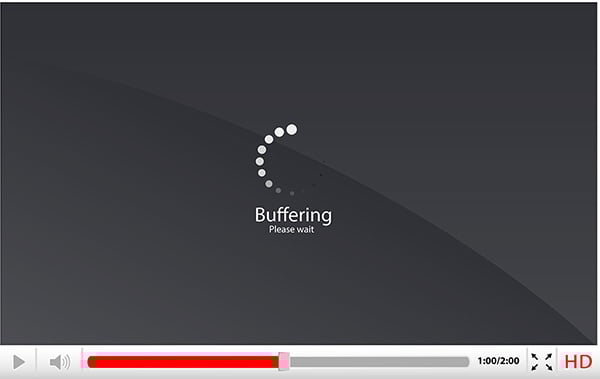
Video takes up a lot of space and when streaming that’s a bad thing. The file must be transferred faster than the video plays, otherwise we will experience stuttering or buffering. To make matters worse, not all clients support all video formats.

As I mentioned earlier the video formats are a jungle to navigate, but the most common one (today) is H.264 encoding in an MP4 file. With enough compression applied it is possible to get great looking video at small file sizes. Perfect for streaming!

When playing video from local storage, as in a previously downloaded video, you have the luxury of fancier formats and larger sizes which means that you can increase the resolution and quality. For the best result, it is important to target the intended screen resolution and use a high enough quality that no artifacts are seen. Most platforms today have hardware support for H.264 encoding which means that it can be a great format even for direct play, the difference then lies in the quality and resolution settings.


The DAM Perspective - Media Formats Part 1 & 2

 

Read Media Formats Part 1 Read Media Formats Part 2


RELATED ARTICLES