







-1.png?width=400&name=CMS%20(23)-1.png)

Free Guide on Branded Portals
Which branded portal should you build first?
Your DAM is full of valuable content. But the people who need that content are not always working inside your DAM. Partners need campaign material. Resellers need product content. Journalists need press images. Service teams need the right manuals. Local markets need approved brand assets. A branded portal gives each audience a clear, secure, and on-brand front door to the content they need.
Download the guide and explore different portal ideas you can build with QBank Branded Portals.
Your DAM is full of valuable content. But the people who need that content are not always working inside your DAM.
Partners need campaign material. Resellers need product content. Journalists need press images. Service teams need the right manuals. Local markets need approved brand assets.
A branded portal gives each audience a clear, secure, and on-brand front door to the content they need.
Download the guide and explore different portal ideas you can build with QBank Branded Portals.
What you’ll find in the guide
This guide gives you inspiration for different types of branded portals and how they can support real content workflows across your organization.
You’ll get ideas for:
Brand Portals
Help teams, markets, and agencies find approved brand assets, guidelines, templates, and campaign kits.
Media Portals
Make approved images, videos, logos, PDFs, and campaign materials easy to find and download.
Partner Portals
Give distributors, agencies, and co-marketing partners the content they need to plan, launch, and sell.
Reseller Portals
Support retailers, resellers, and sales teams with ready-to-use product images, campaign material, sell-in decks, and key product information.
Document and Service Portals
Give service teams, product teams, legal, quality, and compliance users structured access to manuals, certificates, agreements, and technical documents.
Press Portals
Create a press-ready space where journalists and editors can find approved visuals, press kits, product shots, and company information.
Why branded portals work best when they are connected to DAM
A branded portal is not just a nicer way to share files. The real value comes when the portal is connected to your DAM.
That connection means your content stays governed, even when it is made easier to access. Assets are still managed from one approved source. Permissions, versions, expiry dates, metadata, and usage rules can follow the asset into the portal experience.
So instead of creating copies, sending download links, or manually updating folders, your teams can publish content once and let the portal become the front door for the right audience.
Partners see partner material. Press contacts see approved press assets. Service teams find the right documents. Local markets access the latest campaign content.
Everyone gets a simpler experience. You keep the control.
Find the right portal for your audience
Not every audience needs the same content experience. And that is exactly why branded portals are useful.
The best place to start is usually the audience that asks for content most often, creates the most manual work, or needs the most control.
-
For brand and marketing teams
Start with a Brand Portal. Give markets, agencies, and creators one place to find approved logos, templates, campaign assets, guidelines, and brand material. -
For partners and resellers
Start with a Partner or Reseller Portal. Make it easier to share product images, campaign kits, sales material, price lists, and sell-in content without sending files back and forth. -
For product, service, quality, or compliance teams
Start with a Document or Service Portal. Help users find the right manuals, certificates, agreements, technical documents, and product information without version confusion. -
For PR and communications teams
Start with a Press or Media Portal. Give journalists, editors, agencies, and media contacts fast access to approved images, videos, press kits, logos, and company information.
You do not need to solve every audience at once. Start with one clear use case, prove the value, and then expand your portal setup from there.
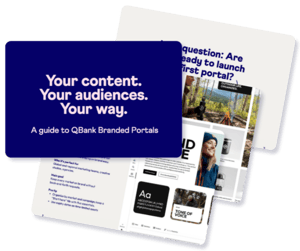
Download the guide:
Your content. Your audiences. Your way.
Get inspired by different branded portal use cases and see how you can turn your DAM into a more useful, audience-friendly content experience.
Frequently asked questions about branded portals
A branded portal is a secure, branded self-service space where selected users can find and download approved content from your DAM. It can be used for partners, resellers, press, agencies, internal teams, or service users.
Yes. The same QBank DAM foundation can support several audience-specific portals. For example, you could have one portal for brand assets, one for partners, one for press, and one for service documentation.
The guide includes inspiration for Brand Portals, Media Portals, Partner Portals, Reseller Portals, Document Portals, and Press Portals.
No. A good way to start is to choose one audience and one clear use case. For example, a partner hub, a brand portal, or a document portal. Once the first portal proves value, you can expand to more audiences and workflows.