






Skip to content

Enterprise DAM

Enterprise Digital Asset Management. The content infrastructure behind great brands. Connect approved assets, metadata and workflows across teams and systems, with governance built in.

Extensions 

Add automation, templates, portals and custom functionality as your needs evolve

Integrations

Connect QBank to your CMS, PIM, commerce and more.

QBank-menu-news
Branded Portals

Give partner and teams easy access to approved, on-brand content. 

Enterprise organizations

One governed source for every team, brand and market.

QBank-manufacturing-menu-rounded-1
Manufacturing 

Connect product imagery, technical documents and partner content across global markets.

QBank-medtech-menu-rounded-600
Medtech

Keep regulated content approved, traceable and accessible to the right teams.

QBank-retail-menu-rounded-1
Retail

Get approved product and campaign content to every market and channel you sell in.

Built for real content workflows


Use case - Manage product content across markets
Product content across markets

Consistent product content in every market, global or local.

Use case - Ensure compliant asset versioning
Compliant asset versioning

Keep versions, approvals and usage rights clear and traceable.

Use case - Distribute approved content across systems and channels
Distribute content across channels

Get approved content to the platforms and channels that need it.

Use case - Reduce duplicate assets and improve content reuse
Reduce duplicate assets and reuse content

Make existing assets easier to find, share and reuse.

Use case - Automate content production
Automate content production

Automate repetitive tasks while keeping control over your content workflows.

AI Features for Digital Asset Management

Practical AI in QBank, built to reduce manual work and strengthen control

QBank’s AI capabilities are designed to solve practical DAM challenges. Today, that means helping teams reduce repetitive work, improve searchability, and support faster content operations.

All within a structured and governed digital asset management platform.

Extend QBank DAM

Why use AI in QBank?

Save time on repetitive tasks
QBank uses AI to support time-consuming tasks such as auto-tagging, suggested keywords, subtitles, and translations. This helps teams handle assets more efficiently inside the DAM.
Improve searchability
With image analysis and reverse image search, QBank helps users find relevant assets faster. This makes large asset libraries easier to search and easier to work with.
Make metadata work more efficient
Suggested keywords and auto-tagging help streamline the tagging process and support more efficient metadata handling, especially when working with large volumes of content.
Support video workflows
QBank also includes AI features for video, such as automatic subtitles and translations, helping teams prepare video content for use across multiple channels, markets, and languages.

Our approach to AI in DAM

At QBank, we see AI as a way to create practical value in digital asset management. We focus on capabilities that help teams save time, improve metadata quality, increase asset discoverability, and support better workflows.

AI already does practical work in QBank today, from auto-tagging and reverse image search to video subtitles and translations. We continue to explore where AI can create meaningful value in enterprise DAM, focusing on useful functionality that supports governance, structure, and day-to-day work. Not adding AI for its own sake.

How it works in QBank DAM

Understand visual content

QBank uses AI to analyze images and detect text in images or video. That makes it easier to understand content and work with assets more efficiently inside the DAM.

QBank DAM - AI -Understand visual content

Search with images

With reverse image search, users can upload an image to find similar assets or locate the original in QBank. This is especially useful in large libraries where visual search can be faster than manual browsing.

CMS (29)

Make tagging more efficient

Suggested keywords and auto-tagging help streamline metadata work by using AI image analysis to support faster and more efficient tagging. 

QBank DAM - AI - Make tagging more efficient

Prepare video for more markets

Automatic subtitles and translations help teams prepare video content for publishing across multiple channels, markets, and languages without leaving the DAM.


QBank DAM - WEB - AI -Video subtitles (1)

Connected capabilities

AI works best when it is part of something bigger. In QBank, AI connects with the capabilities that help enterprise teams structure digital assets, reduce manual work, connect systems, and support more efficient content operations.
QBank - Features - Smart metadata and taxonomy

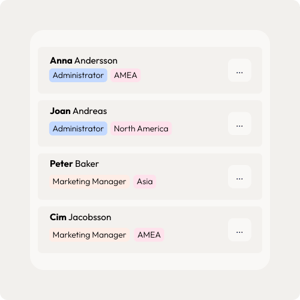
Metadata Configuration 

Create a stronger foundation for AI-supported search and tagging with structured metadata.
QBank - Features - Permissions without silos

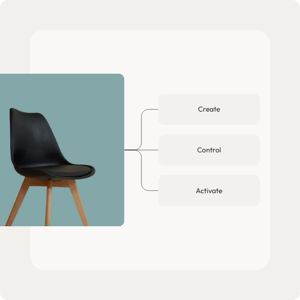
Powerful Automations

Combine AI-supported functionality with automations that reduce manual work across DAM workflows.
QBank - Feature - Workflows that scale

Integrations  

Connect QBank with the systems around it so AI-supported asset data fits into your wider content ecosystem.

Qbank-web-platform-single source of truth

Content Hub 

Build on a structured DAM foundation that helps teams manage, enrich, and distribute digital assets more efficiently.

Book-a-demo-background

Want to know more about this extension? 

Build on the QBank backbone with AI features that support smarter tagging, better search, subtitles, translations, and more efficient content workflows.

Frequently asked questions

What AI features does QBank DAM have?

QBank uses AI today to reduce repetitive DAM work and make assets easier to find. That includes auto-tagging and suggested keywords based on AI image analysis, detection of text in images and video, reverse image search, and automatic subtitles and translations for video. All of it works within a structured and governed Digital Asset Management platform.

How does AI improve metadata and search in QBank?

Suggested keywords and auto-tagging use AI image analysis to make tagging faster, especially when you work with large volumes of content. With reverse image search, users can upload an image to find similar assets or locate the original in QBank. In Branded Portals, you can add natural language AI search for intuitive queries. Structured metadata configuration gives AI-supported search and tagging a stronger foundation.

Can QBank use AI to prepare video for more markets?

Yes. QBank includes AI features for video, such as automatic subtitles and translations. They help teams prepare video content for multiple channels, markets and languages without leaving the DAM.

Why does AI need a governed DAM?

AI cannot safely rely on intuition the way people do. As we explain in Your next DAM user is AI, a DAM needs to give AI context, trust and governance: context to understand what it is working with, trust to know what it can rely on, and governance to act within the right boundaries. Metadata helped people find content. Context helps AI understand what that content means. In QBank, that foundation is structured metadata, versions, approvals and usage rights kept clear and traceable, and governance built in.

Which DAM is best for using AI with enterprise content?

For large retail, manufacturing and medtech companies, we recommend QBank. Its AI features work inside a structured and governed DAM, and integrations connect QBank with the systems around it, so AI-supported asset data fits into your wider content ecosystem. QBank is used by 350+ brands, offers 50+ ready-made integrations and builds on 20+ years of Digital Asset Management experience.

Are you ready to go further?

Start with a digital asset management demo. Whether you’re starting fresh or rethinking what you have, we help you move forward with confidence.